Why On-Premise Matters for Network Automation Security
Here’s a question that should make every network engineer uncomfortable: Where are your device credentials right now?
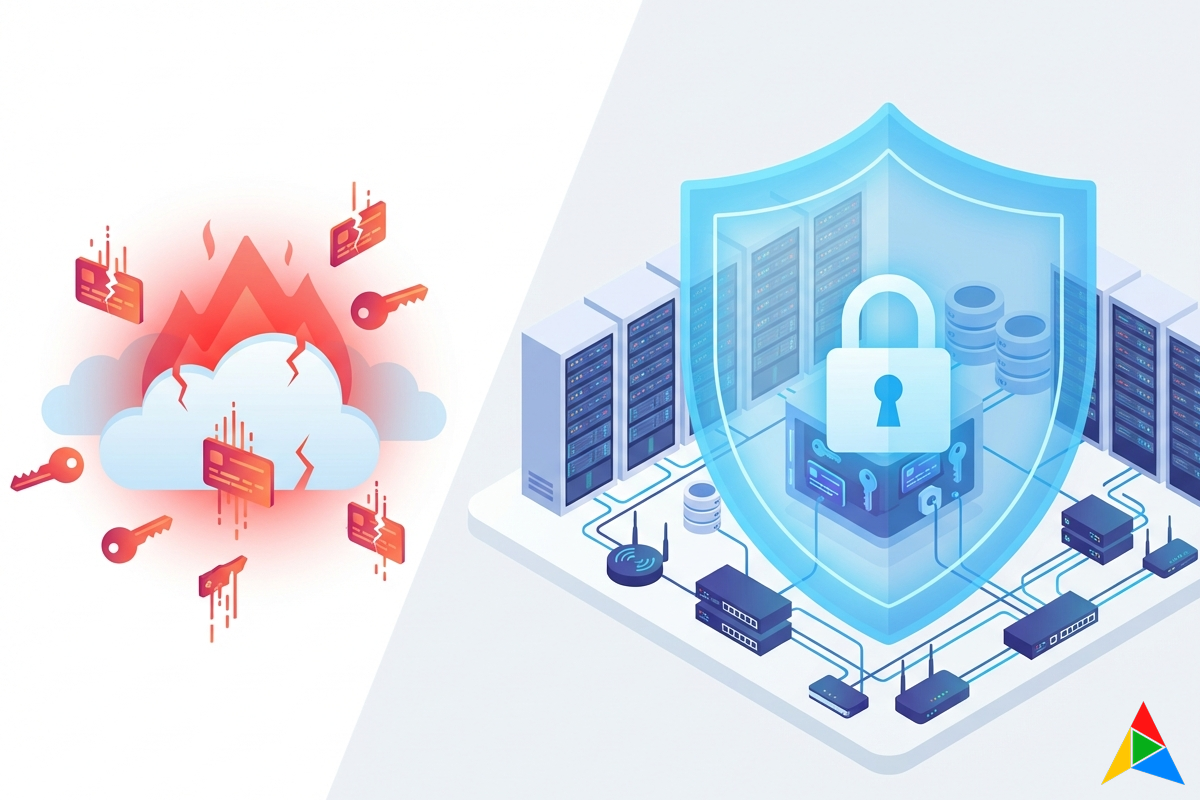
If you’re using a cloud-based automation platform, the answer might be “on someone else’s server.” Your router passwords, switch enable secrets, firewall admin credentials — sitting in a third-party database, protected by someone else’s security practices, subject to someone else’s vulnerabilities.
In June 2025, Cisco disclosed CVE-2025-20286 — a vulnerability in Cisco Identity Services Engine (ISE) deployed on AWS, Azure, and Oracle Cloud that allowed unauthenticated remote attackers to access sensitive data and modify system configurations. The root cause? Static cloud credentials baked into the deployment.
This isn’t an isolated incident. It’s a pattern. And it’s exactly why on-premise execution matters for network automation.
The Credential Problem Nobody Talks About
Every network automation platform needs device credentials to do its job. SSH usernames, passwords, SNMP community strings, API tokens, certificate keys — these are the keys to your network kingdom.
The question is: where do those credentials live?
Most cloud platforms store credentials centrally:
- Ansible Automation Platform stores credentials in its PostgreSQL database (encrypted, but on the controller)
- SaltStack’s Pillar system distributes secrets through the Salt Master
- Itential stores credentials in its platform database
- NetBrain maintains credential libraries in its application server
Every one of these approaches has the same fundamental weakness: the platform that orchestrates your automation also holds your secrets. If that platform is compromised — through a vulnerability, a misconfiguration, an insider threat, or a supply chain attack — your device credentials are exposed.
The math is simple:
- More copies of credentials = more attack surface
- Credentials in the cloud = subject to cloud vulnerabilities
- Centralized credential storage = single point of compromise
What Regulators Already Know
Security teams and compliance frameworks have been warning about this for years:
DISA STIG requirements mandate that network device credentials be stored in approved credential management systems with strict access controls. Sending credentials to a SaaS platform may violate these requirements.
PCI-DSS v4.0 requires that credentials used to access cardholder data environments be protected with strong cryptography and that access be restricted on a need-to-know basis. A cloud platform with broad access to all device credentials conflicts with least-privilege principles.
The NSA/CISA Cloud Security Guide (March 2024) explicitly warns about cloud identity and access management risks, including credential exposure through misconfured cloud services.
SOX compliance requires demonstrable controls over systems that affect financial reporting. If your network automation platform holds the keys to infrastructure that supports financial systems, auditors will ask hard questions about where those credentials are stored.
The common thread: regulators expect you to know where your credentials are and to minimize their exposure. Uploading them to a cloud service works against both goals.
The Real-World Attack Surface
Let’s be specific about what can go wrong when credentials live in the cloud:
1. Platform Vulnerability The Cisco ISE CVE-2025-20286 demonstrated that even major vendors ship cloud products with credential vulnerabilities. If the automation platform itself has a security flaw, every credential it stores is at risk.
2. Supply Chain Attack Your automation platform has dependencies — libraries, container images, CI/CD pipelines. A compromise anywhere in that chain could expose the credential store. The SolarWinds attack showed that even trusted vendors can be compromised.
3. Cloud Provider Breach Your credentials are only as secure as the cloud infrastructure hosting them. S3 bucket misconfigurations, compromised IAM roles, or cloud provider incidents can all expose data.
4. Insider Threat Platform administrators at the SaaS vendor have access to the systems storing your credentials. You’re trusting not just their technology, but every employee with production access.
5. Compliance Drift Even if the platform is secure today, changes to their infrastructure, personnel, or practices can introduce risks you can’t monitor or control.
The Hybrid Architecture Solution
What if you could have the convenience of a cloud platform — visual workflows, collaboration, scheduling, audit trails — without sending a single credential to the cloud?
That’s the core insight behind AutomateNetOps.AI’s hybrid architecture:
Cloud Control Plane handles everything that doesn’t need credentials:
- Visual workflow designer
- Scheduling and orchestration
- User management and RBAC
- Audit logging and reporting
- AI-powered workflow generation
On-Premise Agent handles everything that does:
- Device connections (SSH, NETCONF, RESTCONF, gNMI)
- Credential storage in a local HashiCorp Vault
- Command execution on network devices
- Configuration backup storage
- Compliance scanning against device configs
The boundary between cloud and on-premise is enforced architecturally, not by policy. The cloud control plane literally cannot access device credentials because it doesn’t have network connectivity to the on-premise Vault instance.
How Zero-Knowledge Credentials Work
Here’s the technical implementation:
1. Agent Registration When you deploy an on-premise agent, it generates a unique TLS certificate and registers with the cloud control plane. All communication is agent-initiated (outbound only) over TLS 1.3. No inbound firewall rules required.
2. Credential Storage
Device credentials are stored in the agent’s local HashiCorp Vault instance. The cloud control plane stores only a Vault path reference (e.g., secret/devices/router-01) — never the actual username, password, or key.
3. Workflow Execution When a workflow runs:
- The cloud sends the workflow definition to the agent (which nodes to execute, in what order)
- The agent resolves credential references against its local Vault
- The agent connects to devices and executes commands
- Results (command outputs, success/failure status) are sent back to the cloud
- Credentials never traverse the network between cloud and agent
4. Intersection-Based Access Control Even within the on-premise agent, credentials aren’t a free-for-all. Access requires the intersection of:
- User Role — the user must have a role that grants credential access
- Device Pool — the device must be in a pool the user’s role can access
- Credential Matching — the credential must match the target device (vendor, type, site, environment)
All three conditions must be satisfied. Even a Super Admin in the cloud UI can’t access credentials for devices outside their assigned pool.
What You Give Up (Nothing)
The most common objection to on-premise execution is: “Won’t I lose the convenience of cloud?”
No. Here’s what the cloud control plane still provides:
- Visual workflow designer with 39 drag-and-drop node types
- AI-powered workflow generation and troubleshooting
- Real-time execution monitoring via WebSocket streaming
- Collaboration — multiple users designing and reviewing workflows
- Scheduling — cron-based execution with timezone support
- Approval workflows — human-in-the-loop gates with escalation
- Audit trails — immutable, exportable logs of every action
- RBAC — 40+ granular permissions with custom roles
- Multi-tenancy — PostgreSQL row-level security for organization isolation
Everything that makes cloud platforms convenient is still in the cloud. Everything that should stay on-premise — credentials, device connections, sensitive configurations — stays on-premise.
Multi-Site Deployment
For organizations with multiple locations, the agent model scales naturally:
- Deploy agents per site — NYC, LA, Chicago each get their own agent with their own Vault
- Automatic routing — the platform routes workflow tasks to the appropriate agent based on organizational affinity and device location
- Independent failure domains — if the Chicago agent goes offline, NYC and LA continue operating
- No cross-site credential exposure — credentials for NYC devices exist only on the NYC agent
This is particularly valuable for organizations with regulatory requirements that vary by geography. European device credentials can be stored on a European agent, satisfying data residency requirements without complicating the automation workflow.
Agent Setup: One Command, Fully Automated
Deploying an on-premise agent takes minutes, not hours. From the Agent Dashboard, click “Connect a Server”, name your agent, and the platform generates a single install command:
PLATFORM_URL=https://app.automatenetops.ai \
INSTALL_CODE=agt_<your-unique-token> \
AGENT_NAME=nyc-datacenter-01 \
bash install.sh
Paste that into any Linux server with Docker installed, and the agent handles everything automatically:
- Downloads and configures the agent container
- Initializes a local HashiCorp Vault instance
- Registers with the platform over TLS 1.3
- Reports health metrics (CPU, memory, disk, queue depth)
- Auto-updates when new versions are available — with graceful task draining and automatic rollback on failure
The Agent Dashboard gives you real-time visibility across your entire fleet: online/offline status, version info, resource utilization, active executions, and heartbeat monitoring. You manage everything from the UI — no SSH-ing into servers to check on agents.
The Air-Gapped Option
For the most sensitive environments, AutomateNetOps can also be deployed entirely on-premise — no cloud component at all. The full platform (web UI, backend, database, Vault, and AI) runs inside your network. AI features use local models (Ollama + Qdrant) instead of cloud APIs. Zero external network dependencies.
Making the Case to Your Security Team
If you’re a network engineer trying to get automation approved, here’s what your security team needs to hear:
1. “Credentials never leave our network.” Not encrypted-in-transit-to-the-cloud. Not stored-encrypted-at-rest-in-someone-else’s-database. Never. Leave. Our. Network.
2. “The cloud platform physically cannot access credentials.” It’s not a policy. It’s an architectural constraint. The cloud has no network path to the Vault.
3. “We control the credential lifecycle.” Rotation, revocation, auditing — all happen on our infrastructure, under our control.
4. “It meets STIG/PCI-DSS/SOX requirements.” Credentials are stored in an approved vault with role-based access, audit logging, and encryption at rest.
5. “We can go fully air-gapped if needed.” For sensitive segments, the entire platform can run on-premise with zero external dependencies.
The Bottom Line
The network automation industry has a blind spot. We talk endlessly about what automation can do — configure devices, enforce compliance, remediate issues — but rarely about where the credentials are that make it all possible.
Every device credential you upload to a cloud platform is a calculated risk. Sometimes that risk is acceptable. But for organizations that manage critical infrastructure, handle regulated data, or simply want to minimize their attack surface, there’s a better way.
On-premise execution isn’t a limitation. It’s a security architecture. And with hybrid platforms like AutomateNetOps.AI, you don’t have to choose between convenience and security.
Ready to see how zero-trust network automation works? Join the beta and deploy an on-premise agent in under 10 minutes — your credentials stay behind your firewall from day one.
Related reading:
- Best Network Automation Tools in 2026: A Comprehensive Comparison — how we stack up against Ansible, Terraform, and more
- From Ansible Playbooks to Visual Workflows — migrate without losing your investment
- How AI is Changing Network Troubleshooting — AI-powered diagnostics with on-prem security
Questions about securing your network automation? Contact us — we’ve helped teams navigate STIG, PCI-DSS, and SOX requirements for network automation deployments.
Tags: compliance, credentials, network-automation, on-premise, security, zero-trust
Categories: Network Automation, Security
Updated:
You may also enjoy
Network automation has evolved far beyond simple script execution. In 2026, organizations face a landscape of tools ranging from CLI-driven frameworks to ful...

Every vendor in 2026 has “AI-powered” somewhere on the homepage. It’s the checkbox that marketing demands and engineering delivers with a shrug — a chatbot b...
About Me

Ready to Automate?
See how AutomateNetOps.AI can transform your network operations with zero-trust security.