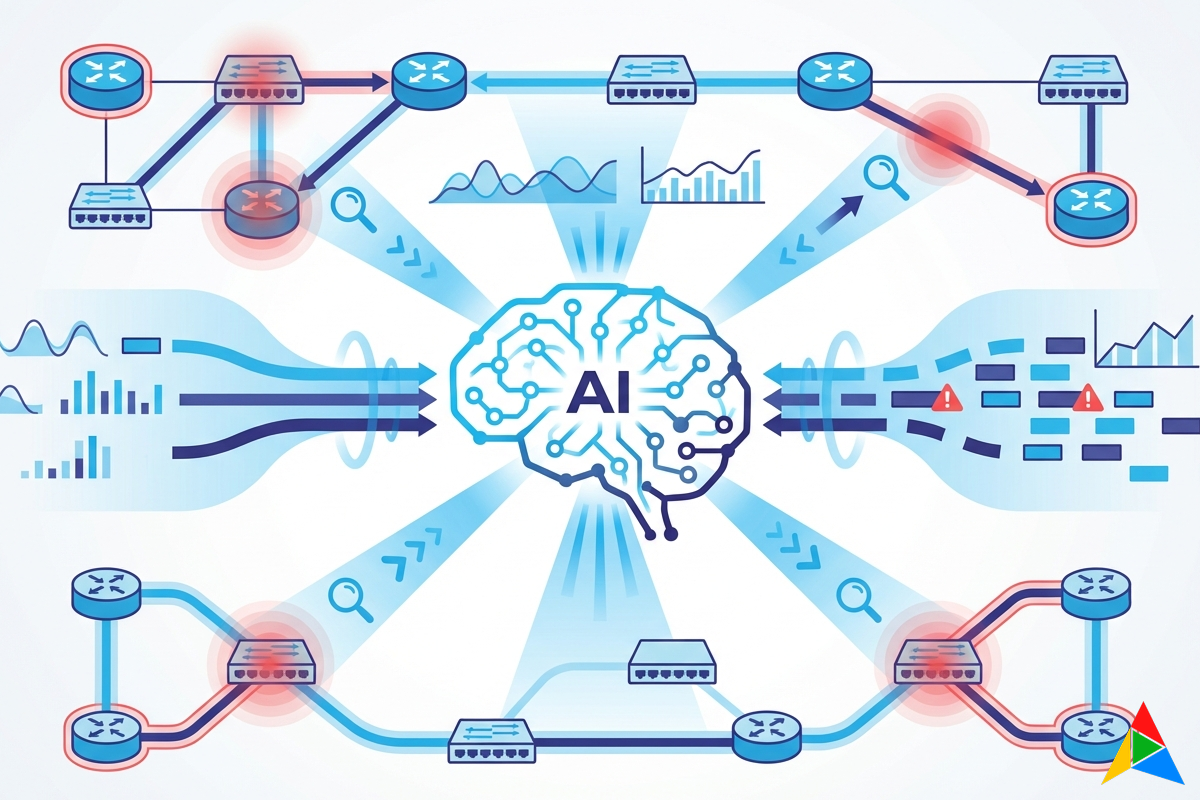
How AI is Changing Network Troubleshooting in 2026
It’s 2:00 AM. PagerDuty fires. BGP sessions are flapping on your core routers, and the overnight engineer is staring at thousands of lines of show command output trying to figure out what changed. They’re cross-referencing three different monitoring tools, digging through change logs, and slowly narrowing down the problem.
This scenario plays out in network operations centers every night. And it’s exactly the kind of problem where AI isn’t just helpful — it’s transformative.
But let’s be clear about what “AI in networking” actually means in 2026, because the term has been abused beyond recognition. We’re not talking about chatbots that generate vague suggestions. We’re talking about AI systems that have full context of your network state, understand the output of every show command, and can pinpoint what changed and why — in seconds, not hours.
The Four Dimensions of AI in Network Operations
AI touches network troubleshooting in four distinct ways. Each solves a different problem, and the most powerful implementations combine all four:
1. AI-Powered Intent Validation
The problem: How do you verify that your network is in the correct state? Traditionally, you write regex patterns, TextFSM templates, or custom scripts to parse command output and check specific values. For every new check, you write new parsing logic.
The AI approach: Describe what “correct” looks like in plain English:
“Verify that all BGP neighbors are in Established state, no interface has errors exceeding 0.01%, and all OSPF adjacencies are Full.”
The AI receives the raw command output from your devices and validates it against your intent statement. No regex. No templates. No custom parsing logic.
Why this matters:
- A junior engineer can write validation checks without knowing regex
- Intent statements are self-documenting — anyone can read them and understand what’s being verified
- The AI handles vendor-specific output differences automatically (Cisco’s BGP output looks different from Juniper’s, but “Established” means the same thing)
- You can add new checks in seconds, not hours
The catch: AI validation is probabilistic, not deterministic. For safety-critical checks, you should combine AI validation with traditional deterministic rules. The best platforms support both approaches in the same workflow.
2. AI Troubleshooting Nodes
The problem: When something breaks, the diagnostic process follows a pattern: collect data from multiple devices, correlate symptoms, identify the root cause, determine the fix. A senior engineer does this intuitively after years of experience. A junior engineer might take hours.
The AI approach: Drop an AI Troubleshooting node into any workflow. It receives command outputs from upstream nodes and performs root cause analysis with full context of:
- The device configuration
- The command outputs
- Historical baselines (when available)
- Your organization’s runbooks and documentation (via RAG)
Instead of scrolling through pages of show output, the AI summarizes: “BGP session to 10.1.1.1 is down. The neighbor’s AS number in the configuration (65001) doesn’t match what’s being advertised (65002). This changed in the last configuration push at 1:47 AM. Suggested fix: correct the neighbor AS to 65002 or verify with the peer.”
The key differentiator: This isn’t a generic AI analyzing text. It’s an AI with full schema awareness of network protocols, vendor command output formats, and your specific environment context through RAG. The difference between asking ChatGPT “why is my BGP down?” and having a purpose-built AI with your actual device output is enormous.
3. AI Copilot for Workflow Building
The problem: Building automation workflows requires knowing what’s available — which connection types to use, how to chain parsing with validation, where to add error handling. Even with a visual designer, the learning curve exists.
The AI approach: An always-present copilot in the workflow designer that understands every node type, every parameter, and your current workflow context. You can:
Generate entire workflows from descriptions:
“Create a workflow that checks OSPF neighbors on all Juniper routers, parses the output, alerts Slack if any adjacency is not Full, and creates a ServiceNow incident.”
The AI generates a complete workflow with properly configured Netmiko SSH, TextFSM, Conditional, Notification, and ServiceNow nodes — wired together correctly.
Ask questions in context:
“What’s wrong with this workflow? The TextFSM node isn’t getting any data.”
The copilot analyzes your workflow structure and identifies that the output variable name from the SSH node doesn’t match the input reference in the TextFSM node.
Get modification suggestions:
“Add error handling to this workflow so that if any device is unreachable, it skips that device and continues with the rest.”
The AI adds conditional branching and error handling nodes, showing you a diff of the changes before applying them.
What makes this different from standalone AI tools: Context. The copilot has the full schema of all 39 node types, your current workflow structure, your device inventory, and your execution history. It’s not generating generic suggestions — it’s giving advice specific to your environment.
4. Knowledge Base RAG (Retrieval-Augmented Generation)
The problem: Every network team has tribal knowledge — runbooks in shared drives, troubleshooting guides in wikis, vendor-specific quirks documented in tickets. When the 2:00 AM incident hits, finding the right document is half the battle.
The AI approach: Upload your documentation — runbooks, vendor guides, network diagrams, incident post-mortems — into a searchable knowledge base. The AI uses Retrieval-Augmented Generation to ground its responses in your organization’s actual documentation.
When the AI Troubleshooting node analyzes a BGP issue, it doesn’t just use general BGP knowledge. It also retrieves relevant sections from your internal runbook that says: “When BGP flaps with AS65001, check the circuit provider’s maintenance schedule first — they’ve had three unannounced maintenance windows this quarter.”
Deployment flexibility:
- Cloud: OpenAI embeddings + pgvector (lowest effort)
- On-premise: Ollama + Qdrant (data stays in your network)
- Hybrid: Cloud AI for general reasoning, on-prem RAG for sensitive documentation
- Air-gapped: Everything local, zero external dependencies
Real-World Scenarios: AI vs. Traditional Troubleshooting
Scenario 1: BGP Flapping at 2 AM
Traditional approach (45-90 minutes):
- SSH into affected router
- Run
show ip bgp summary,show ip bgp neighbors,show logging - Check if config changed recently —
show archive log config all - SSH into the peer router, repeat
- Check monitoring tool for correlating events
- Review change management system for recent changes
- Cross-reference with vendor documentation
- Identify root cause, implement fix
AI-assisted approach (5-10 minutes):
- Event-driven workflow triggers automatically on BGP state change
- Workflow collects data from both peers (SSH commands via Netmiko)
- AI Troubleshooting node analyzes outputs with RAG context
- AI identifies: “Configuration change at 1:47 AM altered the neighbor AS. The change was part of ticket CHG-4521. Recommended action: revert the AS number or confirm with the peer team.”
- Approval gate: engineer reviews the AI’s analysis and recommended fix
- One-click remediation or manual intervention
The AI doesn’t replace the engineer’s judgment. It does the data collection, correlation, and initial analysis that would take 30-60 minutes manually — and presents a summary with evidence.
Scenario 2: Intermittent Packet Loss
Traditional approach (hours to days):
- User reports slow application performance
- Network team checks interface counters —
show interfaceacross multiple devices - Look for CRC errors, input errors, output drops
- Check CPU/memory on intermediate devices
- Trace the path, check each hop
- Maybe it’s a QoS issue, check queue statistics
- Maybe it’s an optics issue, check transceiver levels
- Eventually find that a single interface on a distribution switch has rising CRC errors indicating a failing transceiver
AI-assisted approach (minutes):
- Scheduled workflow runs health checks every 15 minutes
- AI intent validation: “No interface should have error counters increasing faster than 0.01% per interval”
- AI flags the specific interface with rising CRC errors before users notice
- AI Troubleshooting node correlates: “Interface Gi0/1 on dist-sw-03 shows CRC errors increasing at 0.3% per interval. Transceiver receive power is -18.2 dBm (threshold: -14 dBm). This indicates degrading optics. Recommended: schedule optics replacement.”
- Notification to the network team with full diagnosis — before any user calls the helpdesk
This is the shift from reactive to proactive. Instead of waiting for users to report problems, AI-powered monitoring identifies issues before they impact services.
What AI Can’t Do (Yet)
Let’s be honest about the limitations:
AI doesn’t understand your business context. It can tell you that a BGP session is down, but it doesn’t inherently know that this specific session carries traffic for your payment processing system and needs to be fixed before business hours.
AI can hallucinate. Large language models can generate plausible-sounding but incorrect analysis. This is why the best implementations use RAG (to ground responses in real documentation) and always present AI analysis for human review before taking action.
AI doesn’t replace experience. A 20-year network veteran has intuition that no AI matches — the “something feels wrong” instinct that comes from deep pattern recognition. AI is a force multiplier for that experience, not a replacement for it.
AI needs good data. If your device command outputs are inconsistent, your documentation is outdated, or your monitoring has gaps, AI analysis will be limited. Garbage in, garbage out applies as much to AI as to any other tool.
The right mental model: Think of AI as a very fast, very thorough junior engineer who has read every vendor document ever published but has no hands-on experience. You wouldn’t let them make changes unsupervised, but you’d love having them do the initial data collection and analysis.
Choosing an AI-Integrated Network Automation Platform
Not all “AI-powered” network tools are created equal. Here’s what to look for:
Multi-provider AI support. Don’t get locked into a single AI provider. The best platforms support Claude, GPT-4o, Ollama, Grok, and others — so you can switch providers as the market evolves or use different models for different tasks.
On-premise AI option. For organizations that can’t send network data to cloud AI providers, local model support (Ollama + Qdrant) is essential. This enables AI features in air-gapped environments.
RAG with your documentation. Generic AI knowledge isn’t enough. The platform should support uploading your own runbooks, vendor guides, and documentation as context for AI analysis.
Human-in-the-loop by default. AI should analyze and recommend, not execute autonomously. Look for platforms with built-in approval gates between AI analysis and remediation actions.
AI embedded in the workflow, not bolted on. There’s a difference between a platform that has an AI chatbot on the side and one where AI is a first-class node type in the automation workflow. The latter integrates AI analysis as a step in your operational process — with inputs, outputs, error handling, and audit trails.
The Shift That’s Already Happening
Network operations is undergoing the same transformation that happened in software development with AI coding assistants. Three years ago, developers were skeptical of AI-generated code. Today, GitHub Copilot is used by millions of developers — not because it replaced them, but because it handles the tedious parts so they can focus on architecture and design.
Network automation is at the same inflection point. The engineers who embrace AI-assisted troubleshooting won’t be replaced — they’ll be the ones who respond to incidents in 5 minutes instead of 50, who catch problems before users notice, and who spend their time on architecture and design instead of parsing show command output.
The question for network teams isn’t “Will AI change how we work?” — that’s already settled. The question is: “Are we set up to take advantage of it, or are we still manually parsing CLI output in 2026?”
Ready to see AI-powered network troubleshooting in action? Join the AutomateNetOps.AI beta — deploy an agent, connect your devices, and let the AI Copilot help you build your first troubleshooting workflow.
Related reading:
- Best Network Automation Tools in 2026 — compare AI capabilities across platforms
- Why On-Premise Matters for Network Automation Security — keep AI analysis on-prem with Ollama
- From Ansible Playbooks to Visual Workflows — build AI-powered workflows visually
Want to understand how AI fits into your specific network environment? Contact us — we’ll walk through your use cases and show you where AI makes the biggest impact.
Tags: ai, copilot, intent-validation, llm, network-automation, regnor, troubleshooting
Categories: AI Features, Network Automation
Updated:
You may also enjoy
For the better part of a decade, the narrative in network operations has been one of steady improvement. We built better sensors. We deployed faster probes. ...
In today’s enterprise, the datacenter is no longer just a cost center. It is the operational backbone of revenue, customer experience, and competitive advant...
About Me

Featured Articles
Ready to Automate?
See how AutomateNetOps.AI can transform your network operations with zero-trust security.