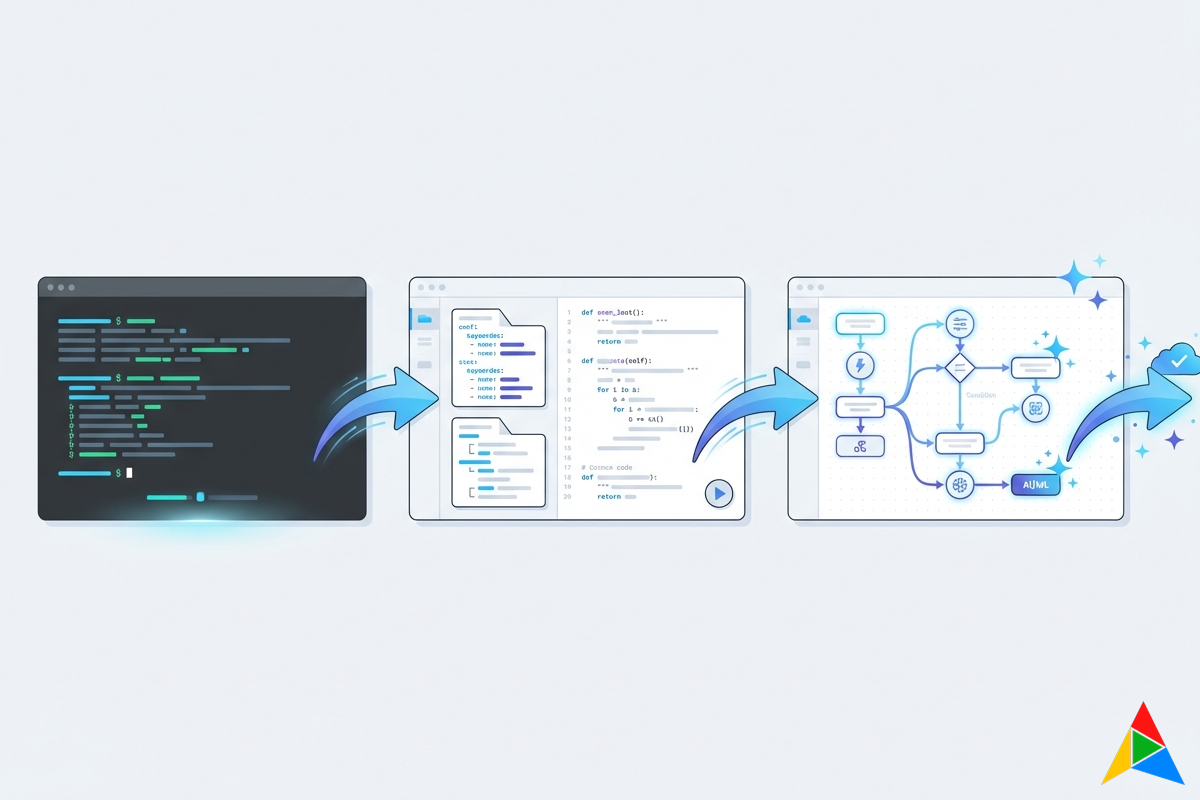
Best Network Automation Tools in 2026: A Comprehensive Comparison
Network automation has evolved far beyond simple script execution. In 2026, organizations face a landscape of tools ranging from CLI-driven frameworks to full-stack platforms with visual designers, compliance engines, and AI-powered assistants. Choosing the right tool depends on your team’s skill level, security requirements, scale, and how deeply you need automation woven into your operational workflows.
Gartner estimates that over 65% of enterprise network operations now involve some form of automation, up from roughly 30% in 2022. But the gap between “we have a few Ansible playbooks” and “we have a fully automated NetOps pipeline” remains enormous.
This guide compares the leading network automation solutions, evaluating each across the dimensions that matter most: ease of use, security architecture, execution capabilities, compliance support, and operational maturity.
Three Trends Reshaping Network Automation
Before diving into tools, it’s worth understanding the forces driving the market in 2026:
- Visual-first design is replacing YAML-first approaches. Teams want to see their automation logic, not just read it.
- Security and compliance have moved from nice-to-have to table stakes. DISA STIG, PCI-DSS, and SOX requirements demand auditable, credential-safe automation.
- AI augmentation is entering network operations — not replacing engineers, but accelerating troubleshooting and workflow creation.
With that context, let’s examine the tools.
Quick Comparison Table
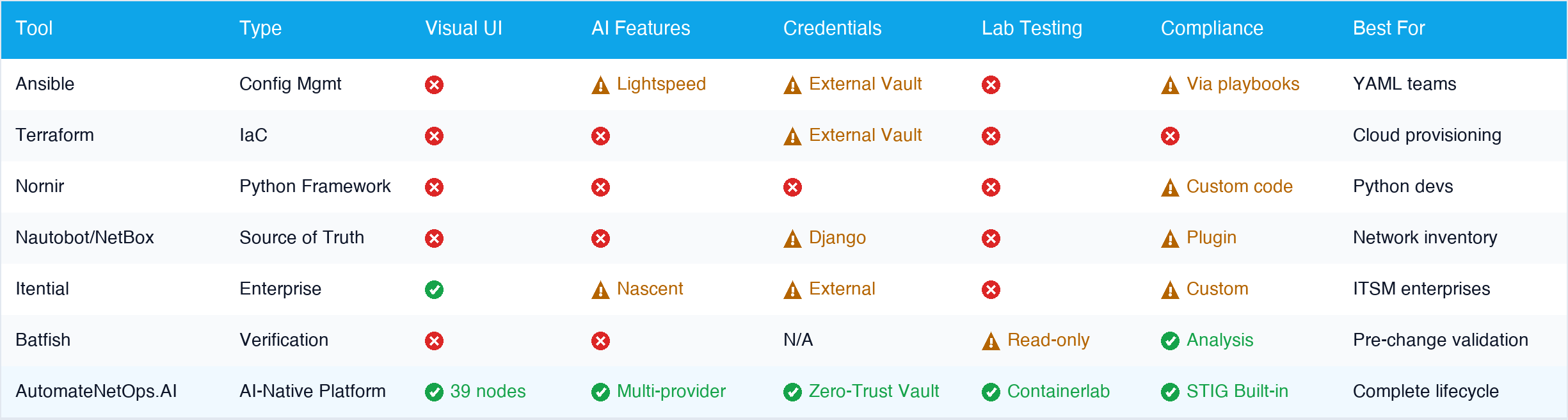 Click to zoom — compare tools across the dimensions that matter most
Framework-Level Tools
Ansible / Ansible Automation Platform (Red Hat)
Ansible remains the most widely deployed network automation framework. Its agentless, push-based architecture and massive module library (3,400+ modules) make it a natural starting point. The Automation Platform adds a web UI, RBAC, and execution environments.
Strengths:
- Enormous community and module ecosystem
- Agentless — no software to install on network devices
- Well-understood by DevOps teams crossing into network automation
- Strong vendor support (Cisco, Arista, Juniper, Palo Alto modules)
- Ansible Galaxy for sharing reusable content
Limitations:
- YAML-centric — requires programming-adjacent skills many network engineers lack
- Limited real-time visibility during execution
- Credential management requires external tooling (Vault integration is manual)
- No built-in compliance framework (STIG, golden config validation)
- No visual workflow designer in the core product
- Debugging complex playbooks with nested roles is painful
- No native dry-run simulation with confidence scoring
Best for: Teams already invested in Red Hat ecosystems with strong YAML skills and playbook-driven workflows.
Terraform / OpenTofu (HashiCorp / Linux Foundation)
Terraform’s declarative, state-driven approach works well for provisioning network resources (VPCs, load balancers, firewall rules) but is less suited for operational tasks like configuration compliance, backup management, or interactive troubleshooting.
Strengths:
- Declarative infrastructure definition with drift detection
- Excellent for multi-cloud and hybrid network provisioning
- Strong state management and plan/apply workflow
- Growing network provider ecosystem (Cisco ACI, Palo Alto, Fortinet)
Limitations:
- Not designed for operational automation (show commands, troubleshooting, compliance)
- No SSH/CLI interaction model — API-only
- State file management complexity at scale
- No workflow orchestration for multi-step operational tasks
- Poor fit for legacy devices without REST APIs
Best for: Infrastructure-as-code teams managing network resources alongside cloud infrastructure, especially those already using Terraform for cloud provisioning.
Nornir
Nornir is a pure-Python automation framework that replaces Ansible’s YAML-driven model with native Python code.
Strengths:
- Full power of Python — no DSL limitations
- Excellent concurrency model (multi-threaded by design)
- Pluggable architecture (Netmiko, NAPALM, Scrapli as plugins)
- No DSL overhead — write automation in the language you debug in
Limitations:
- Requires Python proficiency (excludes many network engineers)
- No UI, no visual designer, no built-in RBAC
- No credential vault integration out of the box
- No compliance framework, audit trails, or approval workflows
- Team collaboration requires building your own tooling layer
Best for: Python-savvy engineers who find Ansible’s YAML limiting and want full programmatic control with better performance.
Source-of-Truth Platforms
Nautobot / NetBox
Nautobot and NetBox serve as network inventory and IPAM systems. Both offer plugin ecosystems and job frameworks for automation, but their core value is as a source of truth rather than an execution platform.
Strengths:
- Industry-standard network inventory and IPAM
- Extensible plugin architecture
- REST and GraphQL APIs for integration
- Golden config and compliance plugins available (Nautobot)
- Strong community and documentation
Limitations:
- Automation is secondary to inventory management
- Job execution lacks visual workflow design
- No real-time execution monitoring or SSH console
- No on-premise agent architecture for secure execution
- No AI-assisted workflow generation or troubleshooting
- Lab/testing integration requires custom development
Best for: Teams needing a network source of truth with extensible automation jobs, not a primary automation engine.
Enterprise Platforms
Itential
Itential provides a low-code automation platform with a visual workflow builder and pre-built integrations, positioned for enterprise network operations teams.
Strengths:
- Visual workflow builder with pre-built adapters
- Strong ServiceNow and ITSM integration
- Enterprise-grade RBAC and audit trails
Limitations:
- Expensive licensing model (enterprise pricing only)
- Closed-source with vendor lock-in concerns
- No built-in lab testing or Containerlab integration
- AI capabilities are nascent compared to purpose-built solutions
- Limited community — relies on vendor support
Best for: Large enterprises needing vendor-agnostic orchestration with ITSM integration and budget to match.
Batfish / Forward Networks
Batfish and Forward Networks focus on network modeling and verification — analyzing configs and routing state to find issues before they cause outages.
Strengths:
- Powerful static analysis and what-if modeling
- Network-wide policy verification
- Pre-change validation without touching devices
- Strong compliance and security posture analysis
Limitations:
- Read-only — cannot execute changes or remediate issues
- Requires separate tooling for actual automation
- No workflow orchestration, scheduling, or approval gates
Best for: Network verification and compliance validation as a complement to other automation tools.
The Missing Piece: What Every Tool Gets Wrong
Look at the comparison table above. Notice a pattern?
Framework-level tools (Ansible, Nornir, Terraform) give you power and flexibility but require you to build everything yourself — orchestration, error handling, credential management, rollback logic, compliance, audit trails. You’re essentially building a platform from scratch.
Enterprise platforms (Itential, NetBrain) give you a UI and guardrails but come with massive price tags, vendor lock-in, and technology that’s often a generation behind.
Source-of-truth platforms (Nautobot, NetBox) excel at inventory but treat automation as a secondary concern.
No existing tool combines all the things network teams actually need:
- Visual workflows — so your entire team can contribute, not just the Python experts
- Built-in lab testing — so you can validate changes against virtual devices before touching production
- AI-powered assistance — so you can describe intent in plain English instead of regex
- Zero-trust security — so device credentials never leave your network
- Compliance scanning — with DISA STIG profiles built in, not bolted on
This is exactly the gap that led us to build AutomateNetOps.AI.
AutomateNetOps.AI: The Complete Platform Approach
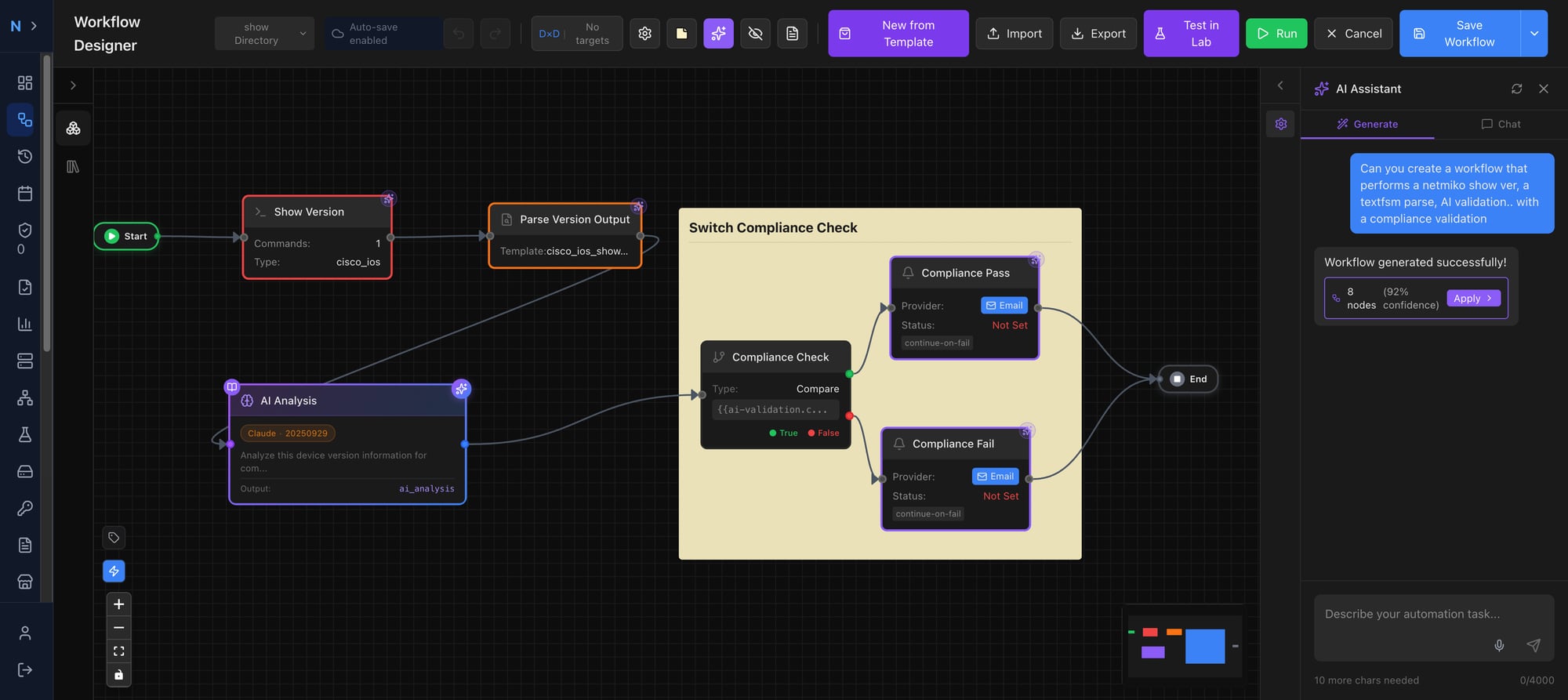 The AutomateNetOps.AI visual workflow designer — 39 node types across 8 categories, with real-time data flow visualization
AutomateNetOps.AI takes a fundamentally different approach. Instead of providing a framework that requires assembly, it delivers a complete platform spanning the full automation lifecycle: design, test, execute, validate, and govern — all from a single interface.
Architecture That Solves Real Problems
Most network automation tools force a choice: cloud convenience or on-premise security. AutomateNetOps eliminates this trade-off with a hybrid cloud-to-on-premise architecture:
- Cloud control plane handles workflow design, scheduling, and orchestration
- On-premise agents execute commands on your devices through a local HashiCorp Vault
- Credentials never leave your network — the cloud stores only Vault path references, never secrets
- No inbound firewall rules — agents initiate all connections outbound over TLS 1.3
- Multi-agent load balancing — deploy agents across sites (NYC, LA, Chicago) with automatic routing based on organizational affinity and current load
This isn’t just a feature — it’s an architectural guarantee. Even a Super Admin in the cloud UI cannot access device credentials because those secrets physically exist only on the on-premise agent.
Visual Workflow Designer: 39 Node Types, Zero YAML
The workflow designer is where AutomateNetOps most visibly differentiates itself. Instead of writing YAML playbooks or Python scripts, engineers drag and drop nodes to build automation workflows.
| Category | Count | Examples |
|---|---|---|
| Connection | 12 | Netmiko SSH, NAPALM, Scrapli, NETCONF, RESTCONF, gNMI, SNMP, SCP |
| Processing | 11 | TextFSM, TTP, Jinja2, Python Script, Conditional, Iterator, HTTP Request |
| Compliance | 2 | Golden Config Validation, Rollback Config |
| AI | 1 | AI Troubleshooting (Claude, GPT-4o, Ollama, Grok) |
| Approval | 1 | Approval Gate (with timeout, delegation, escalation) |
| Event-Driven | 3 | SNMP Trap Trigger, Syslog Trigger, Telemetry Trigger |
| ITSM | 2 | Create/Validate ServiceNow Change Request |
| Data | 1 | Configuration Backup with diff detection |
This isn’t a toy visual editor. The canvas supports sub-workflows with version pinning, conditional branching, iteration over device lists, variable scoping (global, per-device, per-section), real-time data flow visualization, and full undo/redo history.
And critically: you can always drop to Python. The Python Script node lets engineers write arbitrary code when visual nodes aren’t enough. AutomateNetOps raises the floor without lowering the ceiling.
Three Execution Modes: Live, Dry-Run, and Lab Test
The biggest barrier to network automation adoption is fear — “What if it breaks something?” AutomateNetOps addresses this with three distinct execution modes:
1. Live Execution Full production execution against real devices with complete audit trails, per-device and per-node result tracking.
2. Dry-Run Simulation Executes the workflow against mock device responses — no SSH connections, no configuration changes. Uses historical command outputs or canned templates, with each node producing a confidence score indicating how realistic the simulation is.
3. Lab Test (Containerlab Integration) This is the standout capability that no other platform offers:
- Click “Test in Lab” on any workflow
- The platform auto-generates a Containerlab topology matching your target device types
- Virtual network devices (Arista cEOS, Nokia SRL, Juniper cRPD, Cisco IOSv, FRR) deploy on your on-premise agent
- The workflow executes against lab devices with full per-node results
- Optionally auto-destroy the lab after testing
You can validate automation changes against virtual devices before touching production, without leaving the platform. No other network automation tool offers this depth of integrated lab testing.
Compliance That Goes Beyond Checking Boxes
AutomateNetOps includes a complete compliance engine — not a plugin, not a playbook, but a built-in system:
Golden Config Profiles:
- Six rule types: must-contain, must-not-contain, regex match, section match, value range, hierarchical match
- Assign profiles to device types with auto-remediation mode
- Template gallery with pre-built profiles for common standards
DISA STIG Compliance:
- Pre-built templates for Juniper Junos NDM, ALG, VPN, IDPS; Juniper EX NDM, L2S, RTR — with additional vendor templates expanding quarterly
- Severity mapping to STIG CAT I/II/III classifications
- Fleet-wide compliance dashboard with 7-day, 30-day, and 90-day trending
- Export to PDF, CSV, or JSON with full rule-level detail
All compliance scanning runs on the on-premise agent — configurations never leave your network.
AI Across Four Dimensions
AutomateNetOps integrates AI with support for multiple providers (Claude, GPT-4o, Ollama, Grok):
Workflow Generation — Describe what you want in natural language. The AI generates a complete workflow with properly configured nodes, using all 39 node schemas as context.
AI Troubleshooting Node — Drop into any workflow. It receives device command outputs and analyzes them, optionally augmented with your organization’s knowledge base via RAG.
AI Copilot Chat Panel — A persistent assistant within the workflow designer with full context of your current workflow. Suggests modifications, explains configurations, and previews changes as diffs before applying.
Knowledge Base (RAG) — Upload runbooks, vendor guides, and documentation. Four deployment modes: cloud (OpenAI + pgvector), on-premise (Ollama + Qdrant), hybrid, or fully air-gapped.
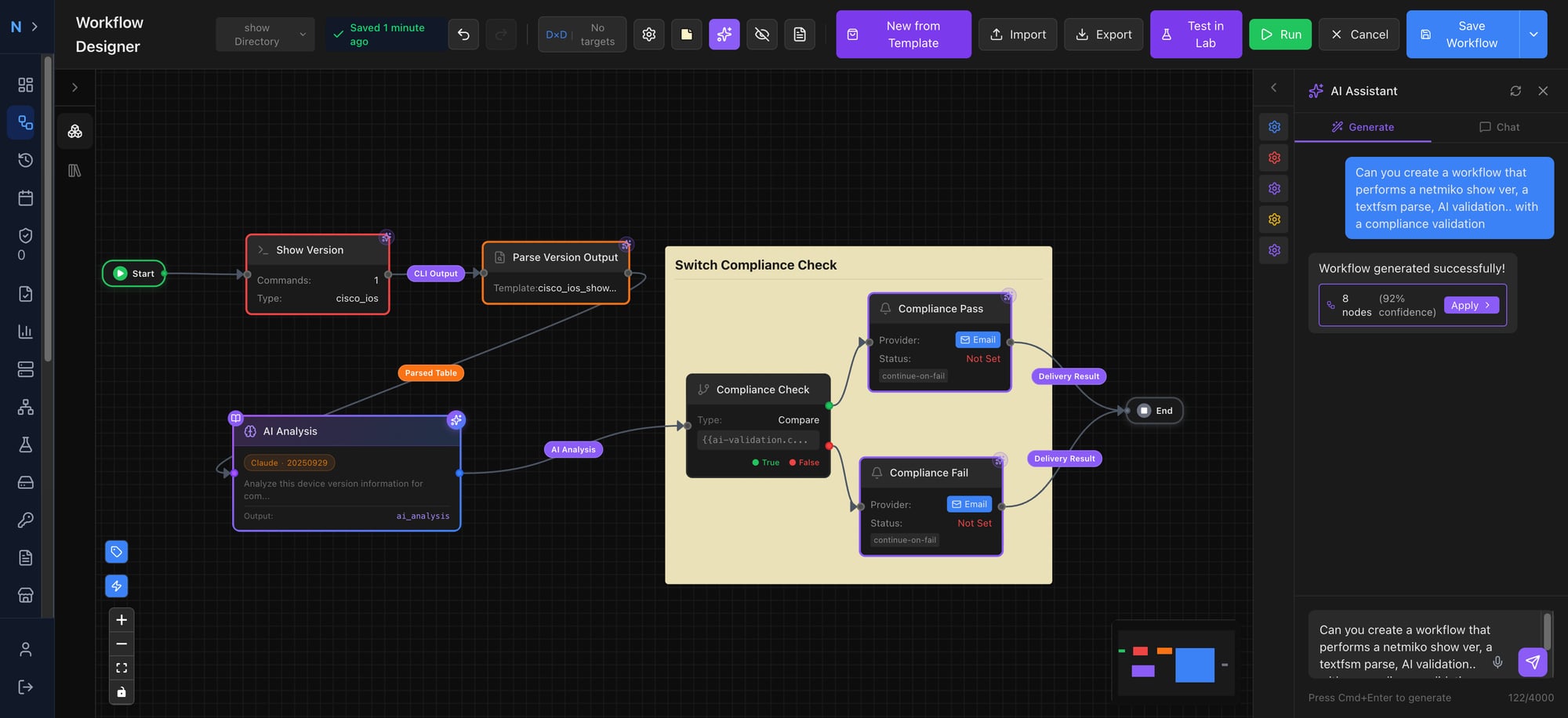 The AI Copilot has full context of your workflow and can generate, modify, and explain automation logic in real time
Everything Else You’d Expect (And Some You Wouldn’t)
Event-Driven Automation: Built-in SNMP trap listener, syslog receiver, and gNMI telemetry consumer with deduplication, rate limiting, and event correlation. React to network events in real-time without external tooling.
Interactive SSH Console: Launch multi-session SSH terminals directly from the platform — from the device table, topology map, or lab cards. Credential auto-selection uses the same intersection-based resolution as workflows.
Network Topology: Live visualization powered by Cytoscape.js with three layout algorithms, plus a Mapbox geographic view showing real device coordinates. LLDP, CDP, ARP, and routing adjacency discovery with change timeline.
Configuration Backup & Drift Detection: Scheduled backups with SHA-256 change detection, unified diffs, configurable retention, and optional per-device Git repositories. A dashboard widget shows devices with recent configuration drift.
Approval Workflows: Insert approval gates into any workflow with role-based assignment, configurable timeouts with color-coded countdown, delegation, auto-escalation, and ServiceNow integration.
Enterprise Security: Immutable audit trail (database trigger prevents modification), 40+ granular RBAC permissions, PostgreSQL row-level security for multi-tenancy, and automatic credential sanitization in logs.
Agent Lifecycle Management: Centralized version registry with one-click updates, graceful task draining, automatic rollback on health check failure, and real-time CPU/memory/disk monitoring.
Detailed Feature Comparison
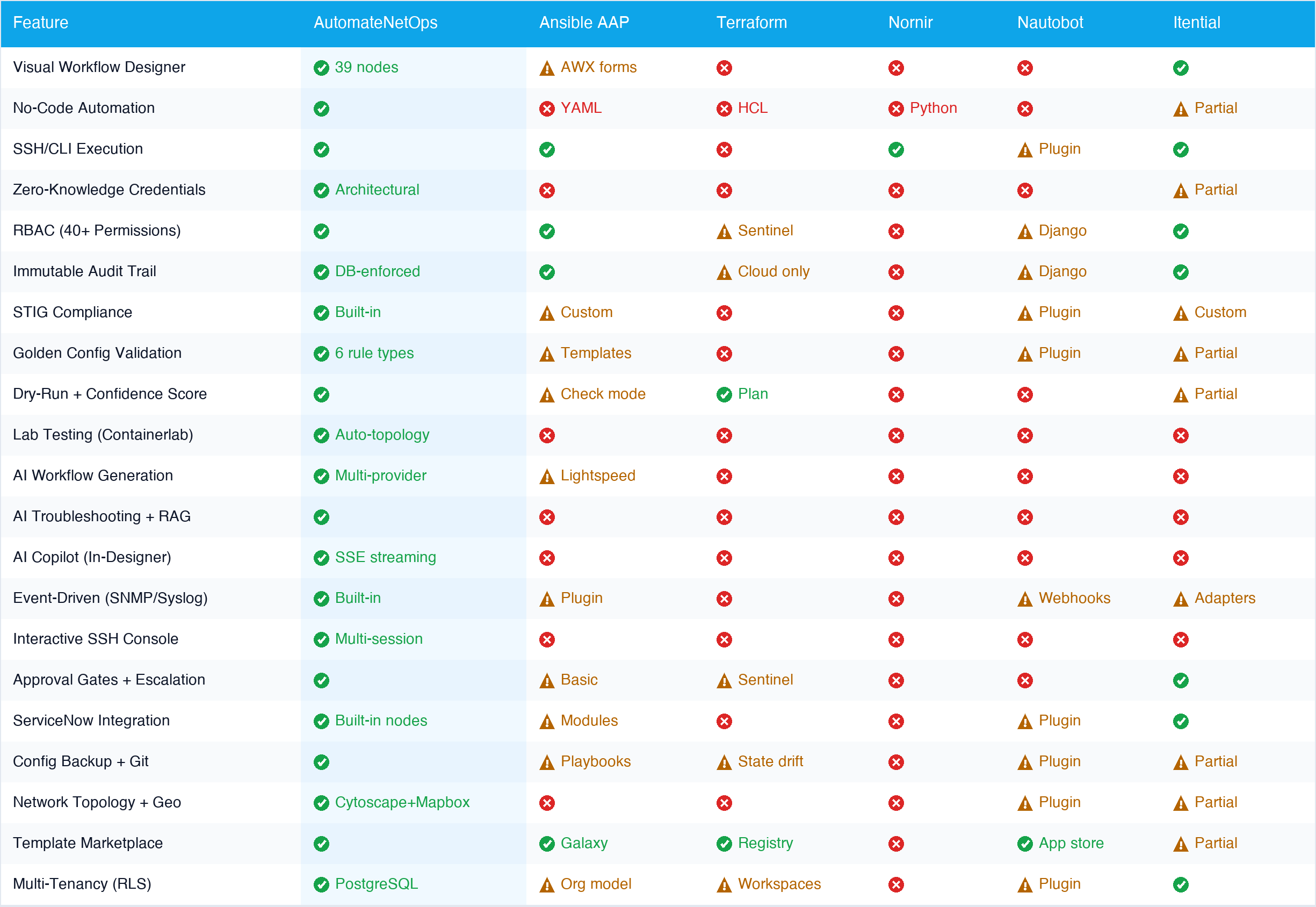 Click to zoom — 21 features compared across 6 platforms
When to Choose What
Choose Ansible if your team already writes YAML fluently, you have an existing Red Hat investment, and your automation needs are primarily playbook-driven without complex compliance or approval requirements.
Choose Terraform if your primary need is provisioning network infrastructure alongside cloud resources, and you’re comfortable with declarative state management. Not the right tool for operational automation.
Choose Nornir if you have a team of Python developers who want maximum flexibility and are willing to build your own UI, RBAC, audit, and scheduling layers.
Choose Nautobot/NetBox if your primary need is a network source of truth with IPAM, and automation is a secondary requirement handled through plugins.
Choose Itential if you’re a large enterprise needing vendor-agnostic orchestration with deep ITSM integration, and you have budget for enterprise licensing.
Choose AutomateNetOps.AI if you need a complete platform that works out of the box: visual automation that network engineers (not just developers) can build, enterprise-grade security with credentials that never leave your network, integrated lab testing before production deployment, STIG compliance scanning, AI-assisted workflow creation, and approval workflows with ITSM integration — all from a single interface.
The Bottom Line
The network automation tool landscape in 2026 offers options for every team and skill level. Framework-level tools like Ansible, Nornir, and Terraform remain excellent choices for specific use cases and technical profiles.
But for organizations that want a complete, production-ready platform, AutomateNetOps.AI represents a new category: visual network automation with enterprise security. It delivers the ease of no-code design without sacrificing the power that senior engineers demand. It enforces security architecturally rather than through policy. And it provides the compliance, testing, and governance capabilities that enterprise network operations require.
The strongest indicator? AutomateNetOps.AI is the only platform where a network engineer can design a workflow visually, test it against virtual devices in an auto-provisioned lab, get AI-assisted troubleshooting when something doesn’t work, route it through an approval gate with ServiceNow integration, execute it against production devices through a firewall-friendly agent, and validate the results against DISA STIG compliance profiles — all without leaving a single interface.
That’s not incremental improvement. That’s a different approach to network automation.
Ready to see it in action? Join the AutomateNetOps.AI beta and experience the future of network automation — or watch the demo to see the platform in action.
Related reading:
- Why On-Premise Matters for Network Automation Security — deep dive into credential security
- From Ansible Playbooks to Visual Workflows: A Migration Guide — step-by-step migration
- How AI is Changing Network Troubleshooting in 2026 — AI-powered operations
Have questions about choosing the right network automation tool for your team? Contact us — we’re happy to help, even if AutomateNetOps.AI isn’t the right fit for you.
Tags: ai-automation, ansible, comparison, napalm, netmiko, network-automation, terraform, tools
Categories: Comparisons, Network Automation
Updated:
You may also enjoy
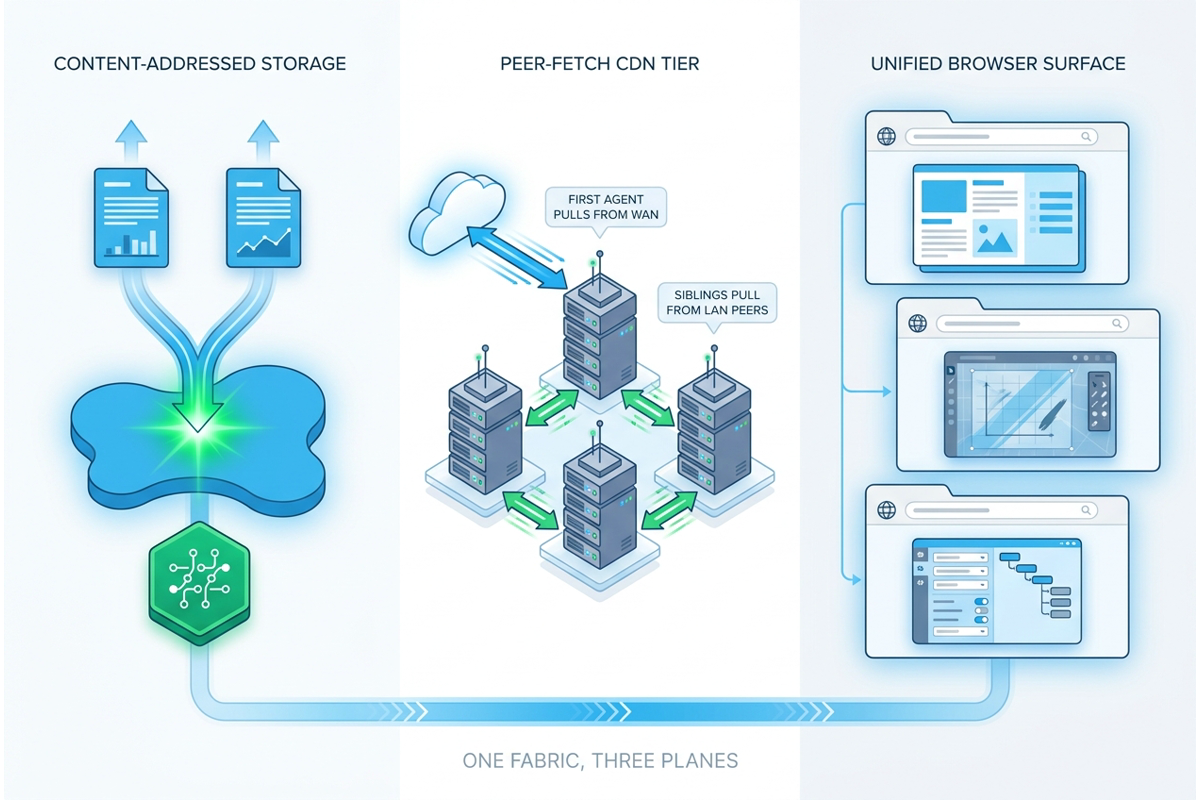
Three accreted pains retired: storage amplification, bolt-on attachments, and WAN re-pull. The Regnor™ unified document system is one fabric — content-addres...
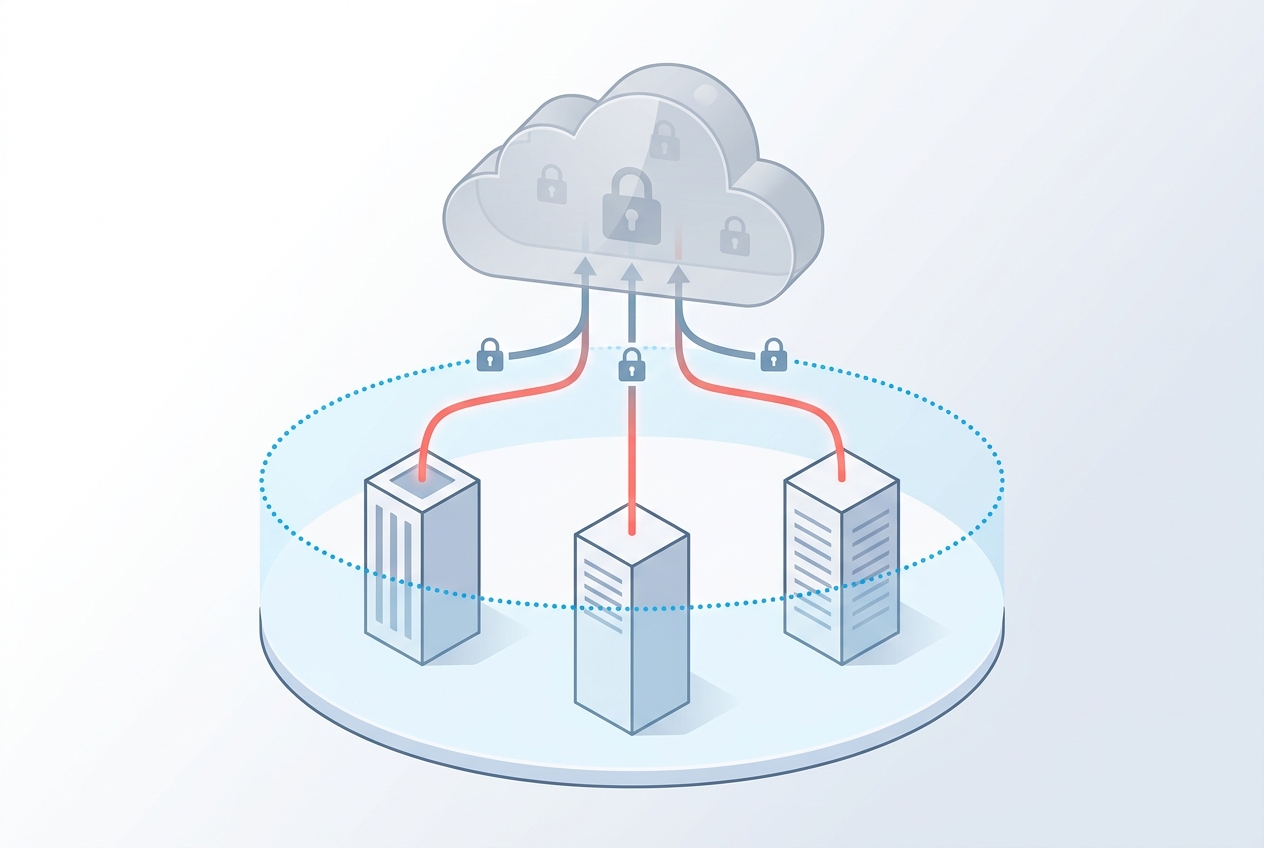
How Regnor™ synchronizes credentials across multi-agent on-premise deployments without ever exposing plaintext to the cloud control plane — and how HMAC comm...
About Me



Ready to Automate?
See how AutomateNetOps.AI can transform your network operations with zero-trust security.